Your AI. Your Machine. Your Rules.
The desktop AI agent builder. Visual when you want speed. Extensible when you need depth. Private by design. Your data never leaves your computer unless you explicitly call an AI provider.
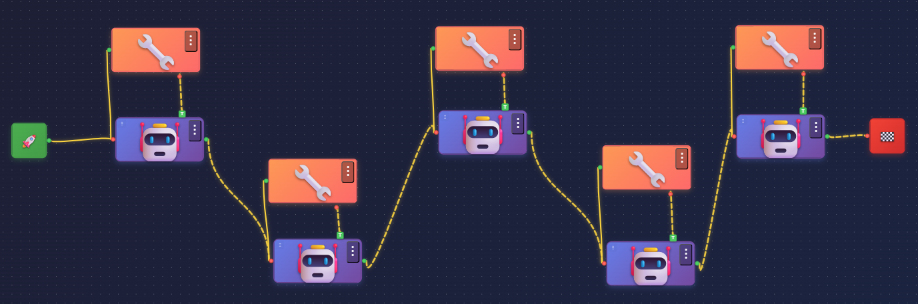

Drag, drop, and connect AI models, tools, and agents on a visual canvas. FlowMesh orchestrates the flow — you focus on the outcome.
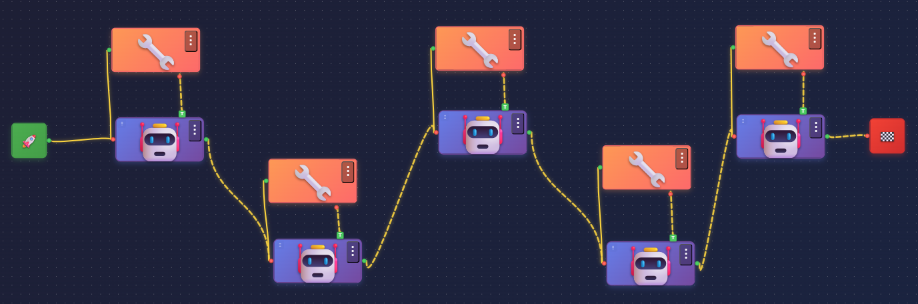
Even a single tool-calling agent in LangGraph means writing dozens of lines of Python — defining state schemas, configuring conditional edges, wiring up tool nodes, implementing checkpointing, handling retries. Most developers spend hours before they see their first result.
from langgraph.graph import StateGraph, START, END
from langgraph.prebuilt import ToolNode
from langgraph.checkpoint.sqlite import SqliteSaver
from langgraph.errors import GraphRecursionError
from langchain_core.messages import HumanMessage, SystemMessage
from langchain_core.runnables import RunnableConfig
from tenacity import retry, stop_after_attempt, wait_exponential

class AgentState(TypedDict):
    messages: Annotated[list, add_messages]
    remaining_steps: int
    scratchpad: dict

tools = [web_search, generate_image, generate_video, *mcp_tools]
model = llm.bind_tools(tools, tool_choice="auto")

@retry(stop=stop_after_attempt(3),
       wait=wait_exponential(min=1, max=10))
def call_model(state: AgentState, config: RunnableConfig) -> dict:
    system = SystemMessage(content=build_prompt(state["scratchpad"]))
    if state["remaining_steps"] <= 0:
        raise GraphRecursionError("step budget exceeded")
    response = model.invoke([system, *state["messages"]], config)
    return {"messages": [response],
            "remaining_steps": state["remaining_steps"] - 1}

def should_continue(state: AgentState) -> str:
    last = state["messages"][-1]
    return "tools" if getattr(last, "tool_calls", None) else END

checkpointer = SqliteSaver.from_conn_string("checkpoints.db")
graph = StateGraph(AgentState)
graph.add_node("agent", call_model)
graph.add_node("tools", ToolNode(tools, handle_tool_errors=True))
graph.add_edge(START, "agent")
graph.add_conditional_edges("agent", should_continue,
                            {"tools": "tools", END: END})
graph.add_edge("tools", "agent")
workflow = graph.compile(checkpointer=checkpointer,
                         interrupt_before=["tools"])
# ... plus every tool defined and wired by hand, prompt
#     builders, error handlers, config, retries, state migrations
Drop your agents onto the canvas. Draw the connections. Hit run. FlowMesh compiles the same graph structure under the hood — complete with checkpointing, state management, and error recovery built in. What took hours now takes seconds.

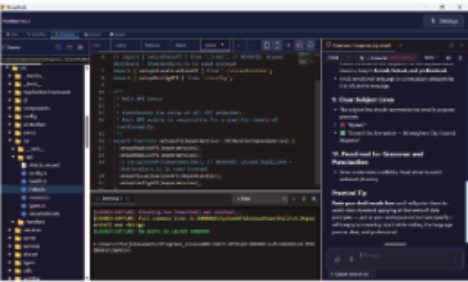
Build AI workflows on the visual canvas — then open the full IDE to customize every detail. No other no-code platform gives you both.
Build your team with the exact sub-agents you need — SEO analysts, developers, writers, researchers. Assign roles, set goals, and define how they collaborate.
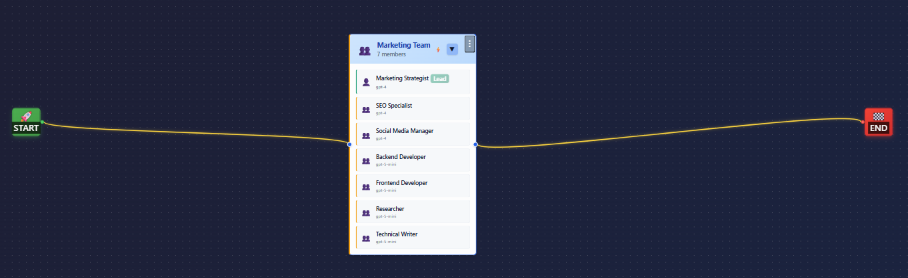
Define a team lead and FlowMesh spawns the right specialists on demand — scaling your team as the task demands. No guesswork. Just results.
FlowMesh ships with built-in tools — web search, RAG, image generation, and file access. And with the Model Context Protocol you can connect almost anything else: databases, APIs, cloud services — if you can build it, your agents can use it. FlowMesh can even act as an MCP server itself, so tools like Claude Code can search your indexed RAG and codebase and read your PDFs.
Send messages, read channels, manage workflows
Create PRs, manage issues, review code
Query SQL, manage schemas, analyze data
Connect to S3, Google Drive, Dropbox
Send emails, read inboxes, manage contacts
Build custom MCP servers for anything
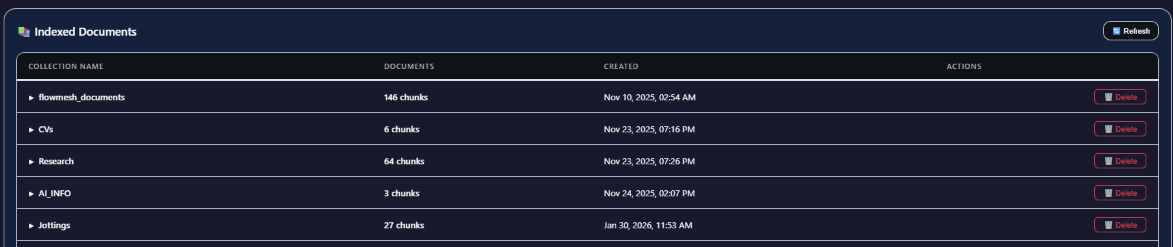
Index PDFs, code, research notes — any document collection. Your agents search and reference them in real time. All local. Nothing leaves your machine.
Privacy, power, and full system access that web apps cannot provide
Your data stays on your machine. No cloud. No accounts. No tracking. Run offline with local models — zero data leaves your computer.
OpenAI, Anthropic, Google, xAI, DeepSeek, Groq, Ollama — eight providers, dozens of models, one click to switch. Use local models for complete privacy.
Build fast with the visual canvas — or customize every detail for complex workflows. Beginners ship in minutes. Experts build sophisticated multi-agent systems.
Supervisor assigns. Researcher gathers. Analyst interprets. Writer delivers. They work in parallel, share context, produce together.
Describe what you want. Watch it appear. OpenAI, Stability AI, Google Imagen — automatic prompt enhancement, style control, and a built-in gallery.
Turn any content into multi-voice audio. Multiple AI speakers with distinct voices. OpenAI TTS for speed, ElevenLabs for studio-quality realism.
“Finally an AI tool where my data stays on my machine. I've been waiting for something like this — the privacy-first approach is exactly what enterprise teams need.”
“The visual workflow builder makes multi-agent systems accessible. I built a research pipeline with 4 agents in under 10 minutes. The LangGraph backbone means it actually scales.”
“I use my own API keys and pay providers directly — no middleman markup. Plus switching between GPT-4o and Claude mid-workflow is a game-changer for comparing outputs.”
Version 4.8.23
Available for Windows, macOS (Intel & Apple Silicon), and Linux.
4.8.69
4.8.69
4.8.69
4.8.69
By downloading, you agree to our Terms of Service and Privacy Policy.